Introduction
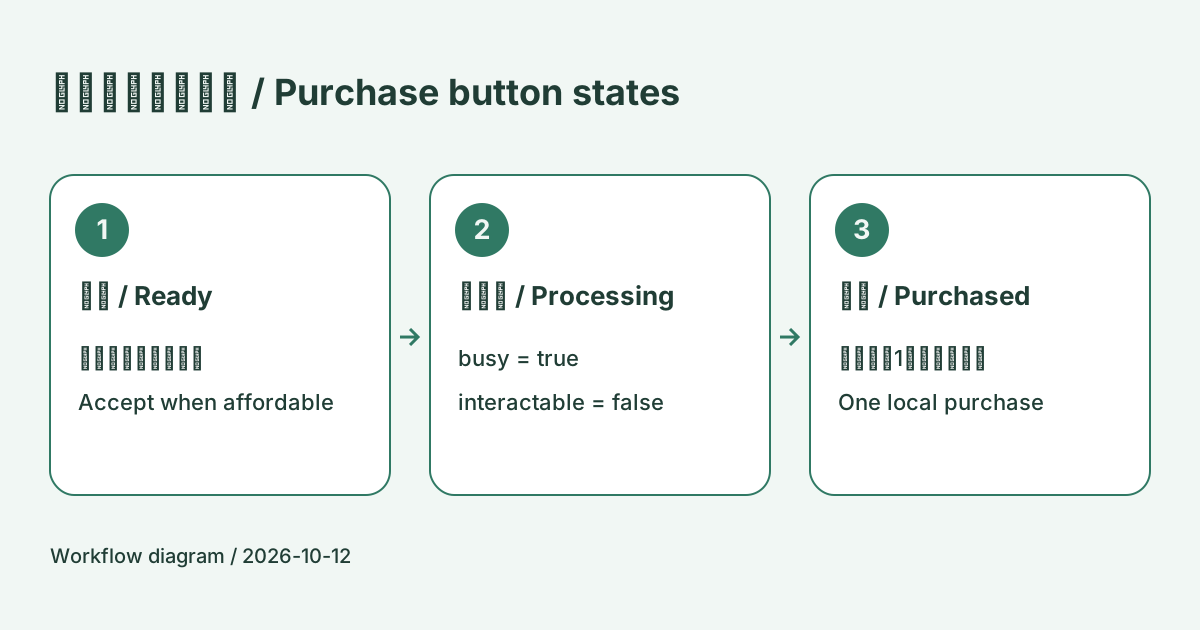
This example makes one local purchase using fictional game coins. Disable UI input and guard the method itself so a repeated call cannot start another purchase while one is pending. It does not process payments or network transactions.
Prepare the scene
Use Unity 6, uGUI and TextMeshPro. Add a Button and a TextMeshPro UI label beneath a Canvas, and ensure there is an EventSystem. Attach PurchaseButtonGuard.cs to an empty GameObject and assign buyButton and statusText. Defaults are 100 coins, price 30 and a one-second wait.
The script registers the click listener itself. Do not also register TryBuy in the Inspector's On Click() list. Selectable.interactable controls UI input; it does not block direct method calls.
Complete script
Save as PurchaseButtonGuard.cs.
using System.Collections;
using TMPro;
using UnityEngine;
using UnityEngine.UI;

public class PurchaseButtonGuard : MonoBehaviour
{
    [SerializeField]
    private Button buyButton;
    [SerializeField]
    private TMP_Text statusText;
    [SerializeField, Min(0)]
    private int coins = 100;
    [SerializeField, Min(1)]
    private int price = 30;
    [SerializeField, Min(0.1f)]
    private float delaySeconds = 1f;
    private bool busy;
    private bool purchased;
    private void Awake()
    {
        if (buyButton == null || statusText == null)
        {
            Debug.LogError("Assign buyButton and statusText.", this);
            enabled = false;
        }
    }

    private void OnEnable()
    {
        buyButton.onClick.AddListener(TryBuy);
        Refresh();
    }

    private void OnDisable()
    {
        if (buyButton != null)
            buyButton.onClick.RemoveListener(TryBuy);
        StopAllCoroutines();
        busy = false;
        if (buyButton != null)
            buyButton.interactable = false;
    }

    public void TryBuy()
    {
        if (!isActiveAndEnabled || busy || purchased)
            return;
        if (coins < price)
        {
            Refresh();
            return;
        }

        busy = true;
        Refresh();
        StartCoroutine(CompletePurchase());
    }

    private IEnumerator CompletePurchase()
    {
        float remaining = Mathf.Max(0.1f, delaySeconds);
        while (remaining > 0f)
        {
            remaining -= Time.unscaledDeltaTime;
            yield return null;
        }

        coins -= price;
        purchased = true;
        busy = false;
        Refresh();
    }

    private void Refresh()
    {
        buyButton.interactable = !busy && !purchased && coins >= price;
        statusText.text = busy ? "Processing..." : purchased ? $"Purchased / Coins: {coins}" : coins < price ? $"Not enough coins / Coins: {coins}" : $"Price: {price} / Coins: {coins}";
    }
}
Connect state to feedback
| State | Button | Label |
|---|---|---|
| Affordable and not purchased | Enabled | Price and coins |
| Waiting | Disabled | Processing... |
| Purchased | Disabled | Purchased and remaining coins |
| Insufficient coins | Disabled | Not enough coins |
The wait uses Time.unscaledDeltaTime, so setting timeScale to zero does not stop it. No external process changes the balance during this example's wait.
Check the behavior
- Click repeatedly. The label should show processing, then the balance should change from 100 to 70 once.
- Start with 20 coins. The button should be disabled with insufficient-balance feedback.
- Disable and re-enable the GameObject during the wait. The interrupted purchase should not deduct coins, and input should become available again.
- Disable and re-enable it after completion. It should remain purchased.
Scope
Registration and cleanup are paired. This example does not persist state across application restarts or include multiple products, failures or competing balance changes. Network purchases require server-side validation and duplicate-request handling. A disabled button alone does not guarantee a unique transaction.
Related tutorials
Summary
What to take away
Build a local uGUI purchase example with a busy flag, button interactability, balance checks and completion feedback. Check repeated clicks and interrupted waits.
The page is designed to help you move from reading to a small practical decision. Use the checklist above before jumping into the next related article.